
Thursday, 22 October 2009

Evaluation
College magazine evaluation
In this task, I created a college magazine. I have taken into account the target audience, I have done researching into similar products, shown organisation of models, props, locations and costumes. I have created drafts and a mood board and used digital technology in my presentation.
I have used many conventions of a real magazine, such as the barcode, masthead, cover lines, a selling line. After researching and finding out about these conventions, I was able to use them correctly and make my magazine look professional and effective. I researched music magazines and college magazines and compared them. By this I found out the components to the magazines and what I had to put into mine.
First of all, I created a blog to present all of my work in. Everything that I created (drafts, mood board, ideas etc) all went into my blog. I had many ideas for my name of the college magazine and many ideas for coverlines, so I was alright in choosing them to put onto my front cover.
The strengths of my college magazine front cover is that it would be noticeable to anyone. The fonts and images look effective. I put a glow on my main image to make it stand out and look different. The weaknesses about my magazine cover and that I would have changed is the background, I could have made it relevant to the main image.
The feedback I got from an audience is that it looked professional and that they would definitely buy it. My target audience would obviously be college students, hence the name and the look of my magazine front cover. I have learnt that the components I have used are the ones used by real magazines and looks professional.
Looking at the front cover of my college magazine and looking at the NME magazine that I deconstructed, both the magazines have similar components, like the barcode, selling lines, cover lines and images, but in a different type of genre. The NME magazine is clearly a music magazine looking at the images and the coverlines, compared to my college magazine, the components of mine clearly show that it is a college magazine.
Altogether I used many media technologies in my college magazine construction and the research. This is shown in my drafts and ideas for my magazine front cover and contents page.
In this task, I created a college magazine. I have taken into account the target audience, I have done researching into similar products, shown organisation of models, props, locations and costumes. I have created drafts and a mood board and used digital technology in my presentation.
I have used many conventions of a real magazine, such as the barcode, masthead, cover lines, a selling line. After researching and finding out about these conventions, I was able to use them correctly and make my magazine look professional and effective. I researched music magazines and college magazines and compared them. By this I found out the components to the magazines and what I had to put into mine.
First of all, I created a blog to present all of my work in. Everything that I created (drafts, mood board, ideas etc) all went into my blog. I had many ideas for my name of the college magazine and many ideas for coverlines, so I was alright in choosing them to put onto my front cover.
The strengths of my college magazine front cover is that it would be noticeable to anyone. The fonts and images look effective. I put a glow on my main image to make it stand out and look different. The weaknesses about my magazine cover and that I would have changed is the background, I could have made it relevant to the main image.
The feedback I got from an audience is that it looked professional and that they would definitely buy it. My target audience would obviously be college students, hence the name and the look of my magazine front cover. I have learnt that the components I have used are the ones used by real magazines and looks professional.
Looking at the front cover of my college magazine and looking at the NME magazine that I deconstructed, both the magazines have similar components, like the barcode, selling lines, cover lines and images, but in a different type of genre. The NME magazine is clearly a music magazine looking at the images and the coverlines, compared to my college magazine, the components of mine clearly show that it is a college magazine.
Altogether I used many media technologies in my college magazine construction and the research. This is shown in my drafts and ideas for my magazine front cover and contents page.
Costumes and Props
For my main image for my college magazine front cover, I used my good friend, Jacob. I wanted him to look busy and look student-like, like working, listening or reading. I chose his to be sat down, reading a book. For the camera angle, I made sure that it was a meduim close up. The only props I used was the book. The costume, I thought was very relevant because you can tell it's a college student as he isn't wearing uniform. I find that the final photgraph I used, out of the origional three, fitted all the aspects I needed and I felt that the picture looked appropiate and effective but yet simple.

Images
This was the image I used for my front cover of my magazine
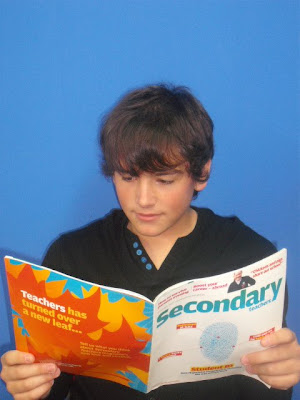 I didn't use this image
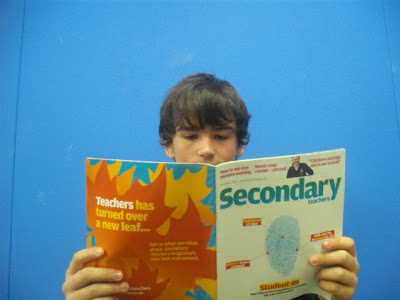
I didn't use this image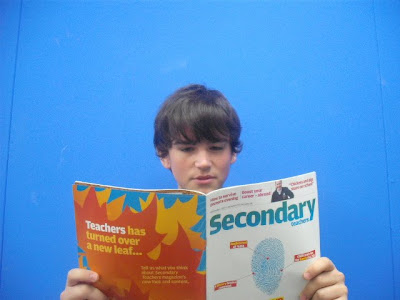
I didn't use this imageI didn't use this image
Camera Shots

This image shows the types of camera shots that there are.
I will be using a medium close up.
Monday, 19 October 2009
Programs I am going to use/have used.
To create my magazine front cover and contents page, I will be using Adobe Photoshop. I am also going to use it to create most of the add before putting it into Microsoft Office Publisher. I find that Photoshop is the best editing program to use and can use it very easily now. I might have used Miscrosoft Publisher but the features are limited and it will take longer. I have used Microsoft Powerpoint to create my computer draft for my front cover and contents page.
Subscribe to:
Posts (Atom)


